UniGroup
Saved Views: the feature that made a platform migration stick
Operations teams were being moved off a legacy system they'd used for years. I turned a failed saved-search feature into Saved Views, which let people rebuild their old workflows once and never re-enter them. It became a reason to adopt the new platform, and a shared component three apps now run on.
- Role
- Senior Product Designer
- Team
- Embedded designer on a product team with a product owner and 5–7 engineers
The short version
UniGroup was moving its operations teams, more than 500 users, off a legacy system and onto a new platform. People had years of filters and habits built into the old tools, and the new platform couldn't match them yet. Its saved-search feature had been used about 30 times, ever.
That gap was a business risk. A migration nobody wants slows people down, drives workarounds, and drives up training.
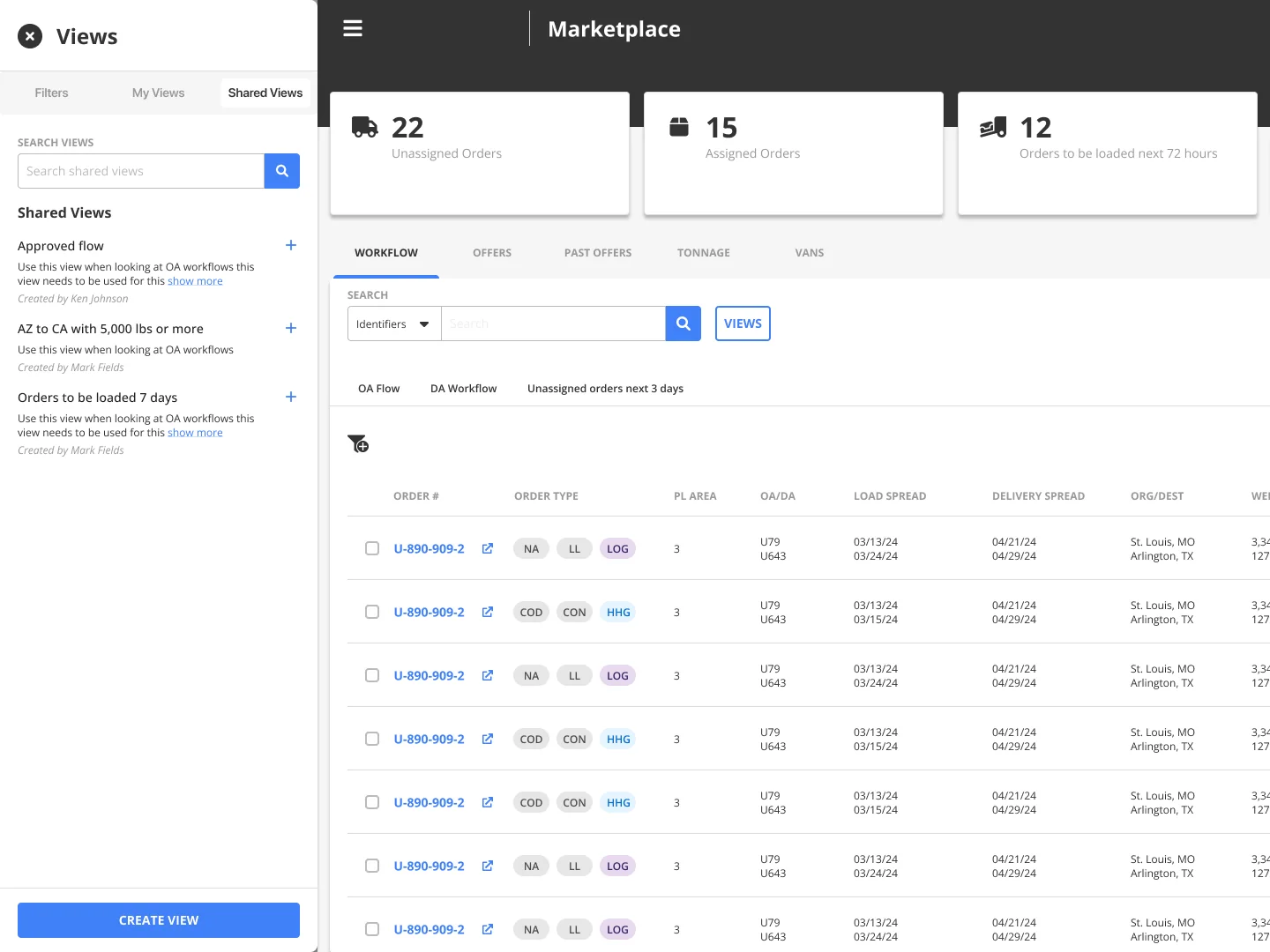
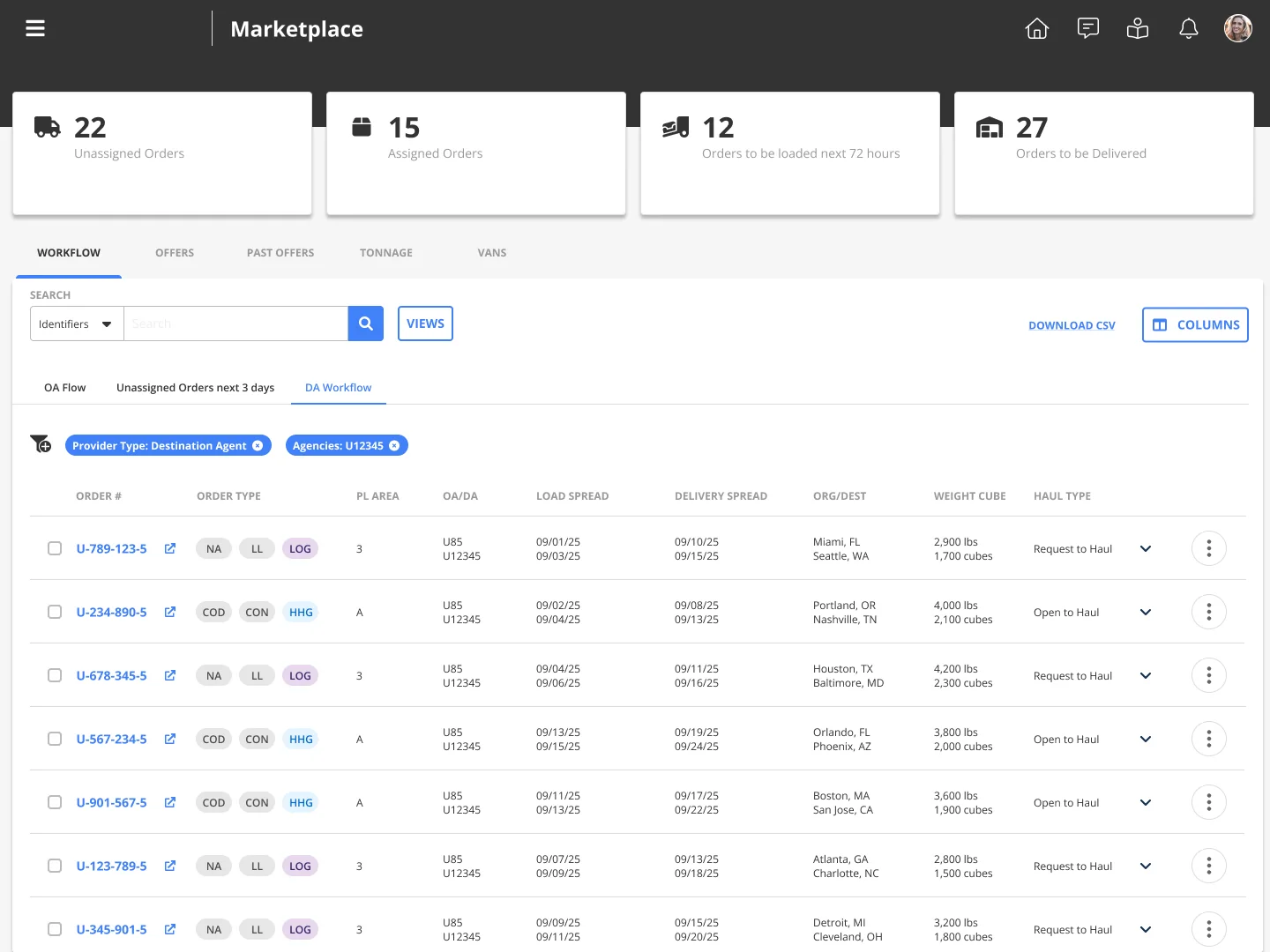
I rebuilt the feature as Saved Views. Users rebuild a legacy workflow once, save it, and never set it up again, with more filtering power than the old system had. It got 1,500+ views in its first six weeks, roughly a 50x jump, and spread to three apps with 2,600+ views in total.
The business problem
- Migration risk. The new platform was a big change, and teams would eventually be required to move. A forced move to a tool that feels like a step backward costs productivity and goodwill.
- Training cost. Every role needed to relearn how to find its work. The less the new platform matched people's habits, the more training it took.
- Daily lost time. Without a way to save their setup, people rebuilt the same filters and columns over and over.
- A feature that should have solved this, and didn't. The existing saved search had about 30 uses in its lifetime.
What I found
I interviewed users and stakeholders across roles. The need was real. The feature was failing for three reasons:
- People didn't trust it. If you changed a filter while a saved search was active, the change silently overwrote it. One quick tweak could wreck a setup someone relied on.
- It saved the wrong thing. It kept the filters and dropped the columns. A person's real setup is both.
- There was no way to share. Every setup belonged to one person, so teams couldn't standardize and coverage during PTO meant starting from scratch.
Getting it on the roadmap
On my team, design doesn't set the roadmap by default. With the product owner, I took the adoption data and interview findings to senior leadership and framed it as a migration problem, not a feature request. It was approved and prioritized.
Key decisions and tradeoffs
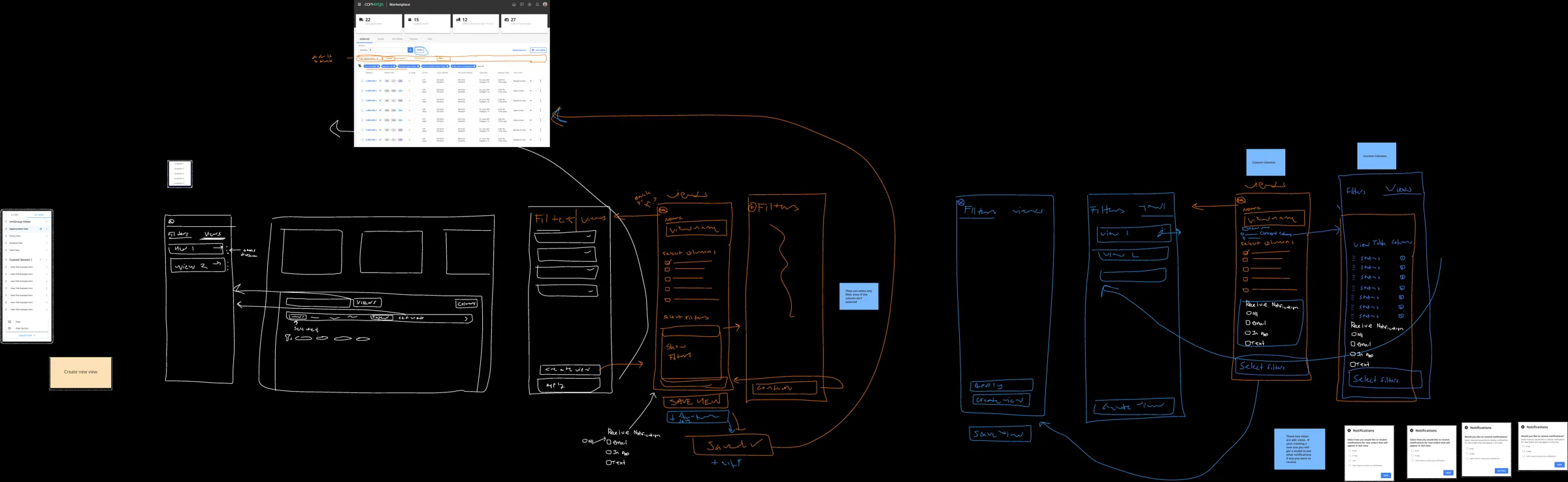
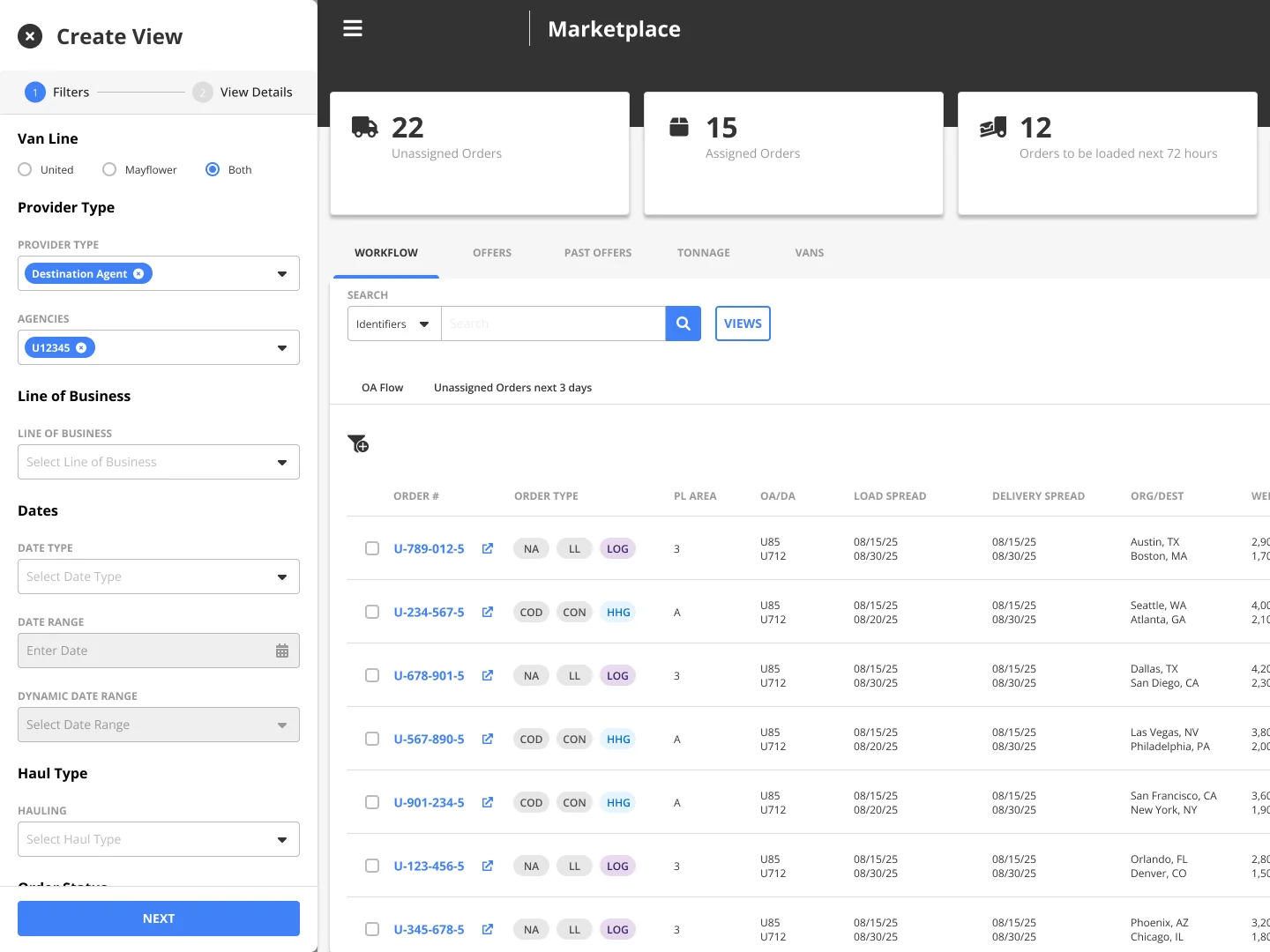
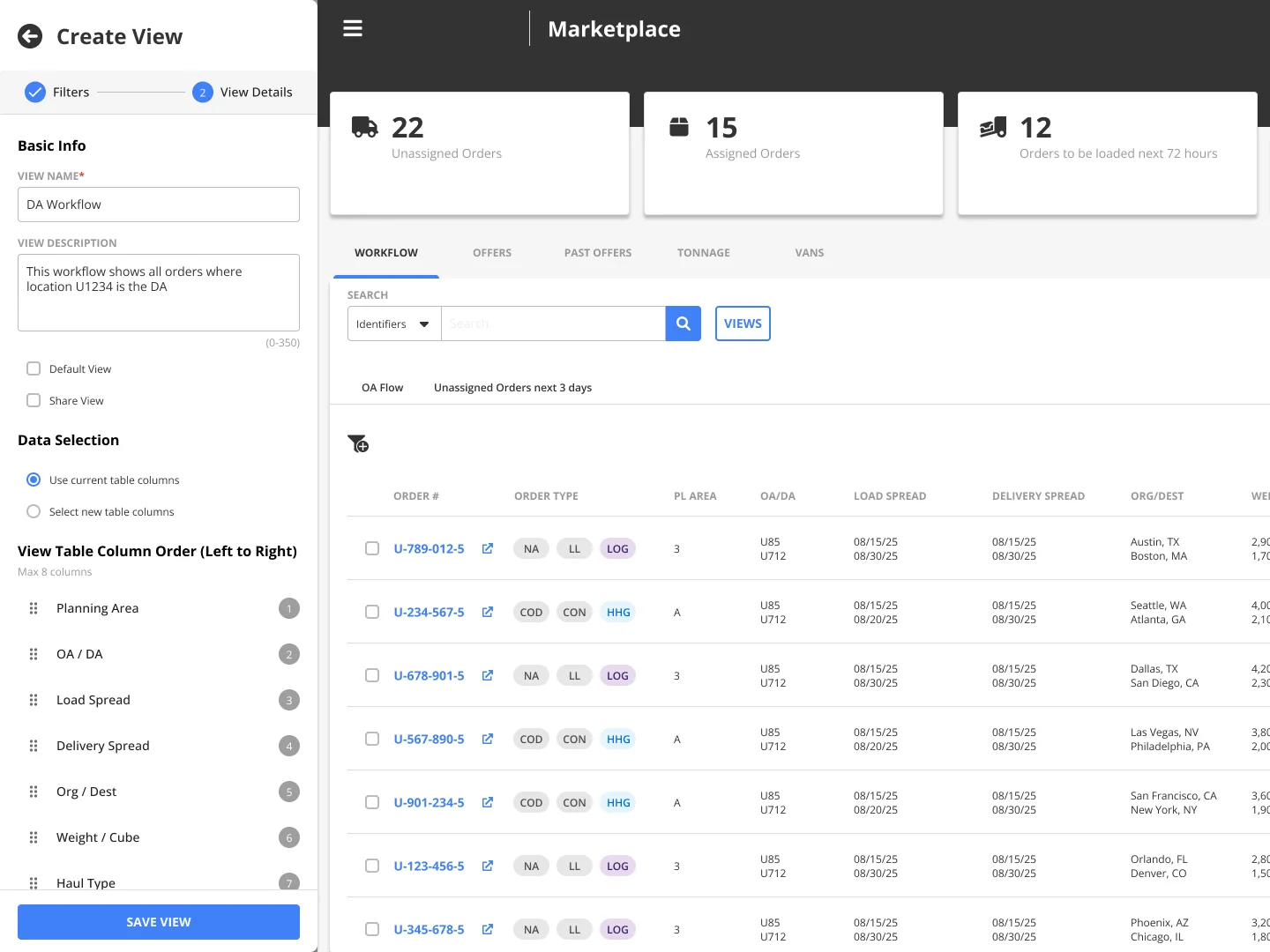
- Rebuild, don't patch. Fixing the overwrite bug alone would have left the core problem in place. I redefined the feature as a view: filters, columns, and column order together. Bigger project, much more valuable result.
- Make saving deliberate. Quick one-off filtering stays exactly as it was. Saving goes through an explicit "Create View" path, so a view only changes when someone chooses to change it. That fixed the trust problem directly.
- Better than legacy, not just equal. Matching the old system wasn't enough to win people over. Saved Views added richer filters, column control, and sharing that the legacy tools never had.
- Built for sharing at scale from day one. We expected organizations to collect hundreds of shared views, so v1 shipped with descriptions and search by name or creator.
- A side panel, not a new page. It has room for a complex setup while keeping the live table visible, so people never lose their place.
- Cut scope to ship. Drag-and-drop tab reordering was in my MVP design. We cut it to ship sooner. Users asked for it after launch, so it's the first follow-up, and the cut was still the right call.
Outcome
- 1,500+ saved views in the first six weeks in the main workflow, against about 30 saved searches in the old feature's whole life. For an app with 500+ users, that's about three saved views per user on average.
- Spread beyond where it started: a second workspace in the same app (948 views), a separate operations app (104), and a customer-facing app (60). More than 2,600 views across three apps.
- Built once, reused everywhere. Engineering made it a shared component, so other teams adopt it without designing or building it again. That cuts implementation cost and keeps the experience consistent.
- Easier migration. People could recreate their legacy workflows in the new platform once and stop re-entering them, which lowered the learning curve and the training load.
- Hands-on rollout. I led about 15 training sessions and 2 webinars for the app's 500+ users during the migration. That put me in the room to hear where people struggled, and that feedback shaped what we built next.
- Coverage got easier. Teammates copy a coworker's view instead of rebuilding it.
What I learned
- Low usage doesn't mean low need. Thirty saved searches looked like a feature nobody wanted. Talking to users showed it was a feature nobody trusted.
- In a migration, matching the old system isn't enough. People let go of familiar tools when the new one is clearly better at the thing they do every day.
- Build it once. Designing Saved Views as a shared component is why it reached three apps without becoming three separate projects.